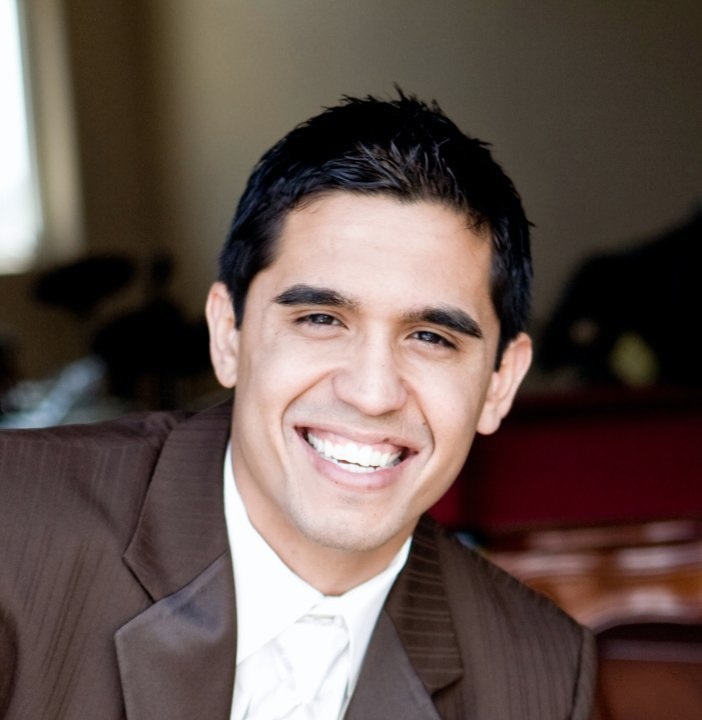
 David A. Moya is a Carmel Valley San Diego community contributor and influencer for positive change. As founder of The Carmel Valley Life he focuses on education, transparency and helping others find a voice for their passion. During his earlier years, he fed his entrepreneurial spirit and founded a company focused on helping kids committed to peak performance. David went on to pay for his BA in Finance through his real estate business and after graduating flew more than 30 flights to over 10 countries in order to master the art of communication and business. Today, he enjoys creating value for his community by leading a movement of responsibility – one of sharing knowledge, stories and a helping hand.
Thursday, February 27, 2014
How To Get Your FREE Wordpress Website
The Team at TheCarmelValleyLife.com will walk you through the first steps on how to setup your WordPress site. There are quite a few steps; however, we’re just going to cover … Drew’s going to cover the basic first steps. Drew, if you could.
Drew: Sure. Hey, David. Just a quick follow-up to the Hangout we did a couple days ago. I know we had some specific questions about ‘What’s next? How do we get that free site?’ I’m just going to click over and share my screen right now. When I do, I think I’m going to probably make you and I go away, but we should be able to still hear each other. Just when I do that, confirm you can still see the screen.
David: Yep, I see myself now.
Drew: Cool. You should be able to see BlueHost. Can you see my screen?
David: Yes, I can.
Drew: Perfect. The first thing that people need to do is they need to go to BlueHost.com. In fact to be more specific, there’s going to be a link right below the video that they need to click on, and that link will take them to BlueHost. The reason they need to use the link, David, is because that link is our affiliate link; we will earn small commission on their signup. They’re still going to pay the same price, whatever hosting package they choose so it’s not going to inflate their price. Blue Host is just going to pay us a small referral; it’s called an affiliate commission. That affiliate commission is what enables us to set these sites up for free for people; just wanted to disclose that.
David: That seems fair.
Drew: Clicking the link will take them to BlueHost. All they need to do here is just simply click the button that says Get Started. The first choice they have is if they have a new domain; this a domain that they haven’t yet purchased and they’re going to type it in here. If they have an existing domain that they want to use, then they’ll just type it in right here. Doesn’t matter, from our perspective, which one they do. The only comment that I would add is it’s a brand new domain then everything’s pretty much instantaneous. If it’s transferring a domain from somewhere, it can sometimes take as long as 48 hours for us to actually complete the setup, just because it will take that long for the domain to be redirected from GoDaddy to HostGator.
I’m just going to create a weird domain here, because obviously, hopefully no one has this registered, just so I can illustrate the point. You’d enter your new domain here. Go through, click Next, or again, you’d enter it in the existing one. Here, it’s going to tell you, ‘Sign Up. Congratulations, that domain’s available’. All they need to do then is just go through here and fill out this information. Down here, they have a choice; this will tell you Account Plan 36-Month is $4 a month, $3.95. They can also come all the way down and do 12-month; it’s $5.95 a month. I don’t think there is actually a per-month option. They do the 12-month package. Setup’s free, there’s no … this includes the domain registration too, which is really nice, because typically, that’s $10-$15 in itself.
David: Definitely. I’ve seen that, where you have to pay extra for that.
Drew: Normally, you’d have two fees: You would have the domain registration and then the hosting. For everyone watching this, you don’t need these options here. I’ll explain why you don’t need those: One reason I use BlueHost versus GoDaddy for this is GoDaddy sends you through about 6 pages web sells; it usually just confuses people. Here, just uncheck these; you don’t need them. Enter your credit card information. Click I Confirm and click Next. What’s going to happen is they are going to get an email from BlueHost immediately that’s going to have their C-Panel login and a bunch of other stuff that they’re probably won’t know what it means. All we need them to do is forward that email to us, David. We’ll include an email below this video where they can send that email to. Then once we get that, what we will do is we will then setup WordPress Install for them.
Just so they have an idea of what to expect, currently, this is what all Wordpress sites look like when they’re setup. This is the newest WordPress 2013 theme, I believe it’s called. I guess it’ll probably actually activate to this one; this is 2014. Let me just show them, because I don’t people to look at it and think something is weird. Their site will probably look like this, which I think we all agree, is pretty hideous. What’s important for people to know here, David, is this, as bad as it looks, is the exact platform that TheCarmelValleyLife.com currently sits on. I’m just going to pull up your site, because I want people to see visually, while we have them here. This amazing site here, what is this, 4 years of hard work, David?
David: Actually, a little under 3. Going on a little over 3, actually.
Drew: What I want people to know is that everything they see here can be built here. David, outside of maybe an occasional image design or setting something up, have you required any … does it require any design skill set or programming skill set for you to run your site?
David: No.
Drew: Perfect. WordPress is designed for people, it’s super-easy to use. You may need someone to design a logo or image for you, but we can show you how to get that done relatively inexpensive. This is what you’re going to get. In the backend is a quick tutorial. The only 3 places that people are going to really spend their time, David, and you can confirm or deny this, because you run a successful site, is they’re going to add new posts, which is right here. They’re going to add new pages right here. If they want to choose their theme, they can do so. Again, this is what it looks like out of the box. If I want to choose a theme, I’m just going to click Activate, then I go here and refresh the page. It looks different.
They are all bare bones because there is no content here. There are ways you can actually go to upload paid themes. You can download … I think there is probably about 6000 free themes, so we’ll do another video on that. The other place that people are going to spend time is in plug-ins. Plug-ins are like your apps on your iPhone or Android phones; they simply just add functionality. We’ll do a little video on these also, but again, this would be if you wanted to come in here, just really quickly wanted to install Google Analytics. Let’s just search, and here’s all the Google plug-ins that I can install. It’s super-easy. If I wanted to click one, I’d just click Install, and it’s basically 1-click installation. Let me go back, David, so I can see you, and then if you have … do you have any questions while I’m sharing this screen?
David: No. I was just going to say, so it’s really … the plug-ins are like apps on your phone. As far as I’m aware, the initial is obviously setting up the domain and the hosting, which we’re going to provide a link where they can go to a trusted site, a legitimate, professional site. From there, obviously, they’ll forward us a link to their … or the email that they got.
Drew: Correct.
David: That way, you can setup their theme and walk them through some of the initial steps. Other than that, we’ll follow up with another video with more details about the next step. Is that correct?
Drew: Absolutely. Just to nail that a little bit more home: Once they email us the email from BlueHost, I will get their site to this part, which is installing WordPress, a responsive theme on here for them, which would be a free theme. Then I’ll personally call them and walk them through how to login to their site, give them a quick tutorial, answer any questions they have, and then talk to them for a few minutes about their business and give them some direction on what type of content they should be creating. Then we’ll follow-up with some other video tutorials for them. We’ll at least make sure that they’re off on the right foot.
David: Perfect. Thank you, Drew, for your time and this instruction piece. For those who are watching, stay tuned for a follow-up YouTube video to this one. Again, if you have any questions, feel free to email (info@theCarmelValleyLife.com) the contact information below in the description section.
Drew: Cool. Thanks, David. Have a great day.
David: Thank you, Drew.
Drew: See you guys.
______________________________________________________________
 David A. Moya is a Carmel Valley San Diego community contributor and influencer for positive change. As founder of The Carmel Valley Life he focuses on education, transparency and helping others find a voice for their passion. During his earlier years, he fed his entrepreneurial spirit and founded a company focused on helping kids committed to peak performance. David went on to pay for his BA in Finance through his real estate business and after graduating flew more than 30 flights to over 10 countries in order to master the art of communication and business. Today, he enjoys creating value for his community by leading a movement of responsibility – one of sharing knowledge, stories and a helping hand.
David A. Moya is a Carmel Valley San Diego community contributor and influencer for positive change. As founder of The Carmel Valley Life he focuses on education, transparency and helping others find a voice for their passion. During his earlier years, he fed his entrepreneurial spirit and founded a company focused on helping kids committed to peak performance. David went on to pay for his BA in Finance through his real estate business and after graduating flew more than 30 flights to over 10 countries in order to master the art of communication and business. Today, he enjoys creating value for his community by leading a movement of responsibility – one of sharing knowledge, stories and a helping hand.

Friday, February 21, 2014
"Why" and "How" to Start a Blog
David A. Moya is a Carmel Valley San Diego community contributor and influencer for positive change. As founder of The Carmel Valley Life he focuses on education, transparency and helping others find a voice for their passion. During his earlier years, he fed his entrepreneurial spirit and founded a company focused on helping kids committed to peak performance. David went on to pay for his BA in Finance through his real estate business and after graduating flew more than 30 flights to over 10 countries in order to master the art of communication and business. Today, he enjoys creating value for his community by leading a movement of responsibility – one of sharing knowledge, stories and a helping hand.
Monday, February 10, 2014
Barre & Pilates Studio Helps San Diego Achieve Fitness & Wellness Goals
The following is a transcript of the Google Hangout conversation between Amy Mewborn (founder of Fit in 60) and David A. Moya (founder of The Carmel Valley Life).
David: I'm here with Amy Mewborn. She is the founder of Fit in 60. They have locations in Carmel Valley and Carlsbad. Hi, Amy, I'm happy you're on today.
Amy: Hi, David, thank you for having me.
David: Amy's been a long time contributor and a great friend of mine and also been a great fellow community member and mentor for me. So, I'm glad to have her on and glad to hear more about Fit in 60 and what's going on possibly this month events wise and moving on this year as well.
Amy: Sure. First, I always like to kind of tell everyone where I came from. My background is I was a financial advisor for 15 years. I just had what a lot of people would consider to be their dream job. I worked four days a week. I had five weeks vacation. I worked with some of the most amazing people in San Diego. I just wasn't happy. I found at about age 32 that I just was kind of over it and I wanted to make a change. So, I decided to open these two studios, and they're really my passion. I love New Year's. I love January because it's such a great opportunity to get people motivated and for them to feel like they get the chance to start over. We opened the Carmel Valley studio in January of 2011. Each year in January we do a big anniversary celebration. It happens to be this weekend...
David: Right.
Amy: ...today, tomorrow, and Sunday. We open up the studio. We do free classes all weekend long, so every class we hold...
David: Wow.
Amy: ...in the Barre studio is free. Then, we run all kinds of specials. We're running a big promotion on our Fit in 60 Fast Fat Blast which is the 60 day program that is designed to be gluten free, dairy free, and soy free to help clients just kind of kick start some of those New Year's resolutions.
David: So that's happening this weekend.
Amy: Yes, yes, it's actually happening in the Carmel Valley studio right now.
David: Oh my goodness. Okay, good, fantastic. We'll have to get this up online so people can see this. Maybe we can put a link where they can get more information.
Amy: Sure.
David: Amy, I follow your blog online on TheCarmelValleyLife.com and you have a lot to say. I appreciate that because I've found it to be very informative, genuine, authentic, and very helpful for my life. I've seen some changes in my life as well. In fact, my wife goes to Fit in 60 and she raves about it. Every day she comes back and she just has nothing but good things to say about Fit in 60. Excited to see more of what's happening in Fit in 60. Anything else you want to say before we sign off?
Amy: First of all, I just want to say thank you. I was referred to David and Carmel Valley Life, and I just want to kind of put something out there about them. I've never met such good people with such integrity. That's really important for me. I think when we're running a business you don't necessarily always meet people like that. I just want to say thanks.
David: Oh, Amy, thank you. You're so sweet. I appreciate that. I thank you for always being honest with me. I know we do some business together as well. I've supported you guys on the video end, and every time I meet with you you're just always honest and full of integrity yourself. I think that's what really makes what I do enjoyable. So, thank you as well.
Amy: Thank you.
David: All right. We'll have you on again and we can hear a little bit more about some other events. But, we'll be sure to put some links below this video so people can find out more information about Fit in 60.
Amy: Great, thanks so much. Have a great day.
David: All right, Amy. Bye bye.
Amy: Bye.
Subscribe to:
Comments (Atom)